Profiles
A profile is a collection of settings that can be applied to an NDI source. The profile determines how SourceMaster handles the source, and what faults it will flag.
A source can only have one profile applied to it at a time, but you can create as many profiles as you like, and switch between them as needed.
This page allows you to view, edit and mange the available profiles.
A default profile is provided, which is applied to any source that doesn't have a specific profile assigned to it. You can edit the default profile, but you cannot delete it.
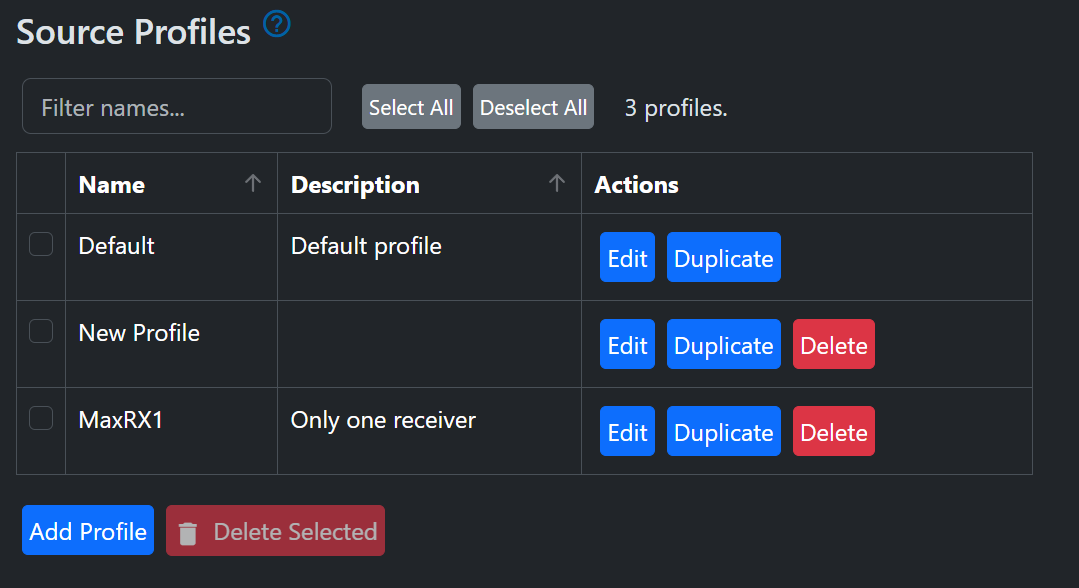
Profiles have the following settings:
General Settings
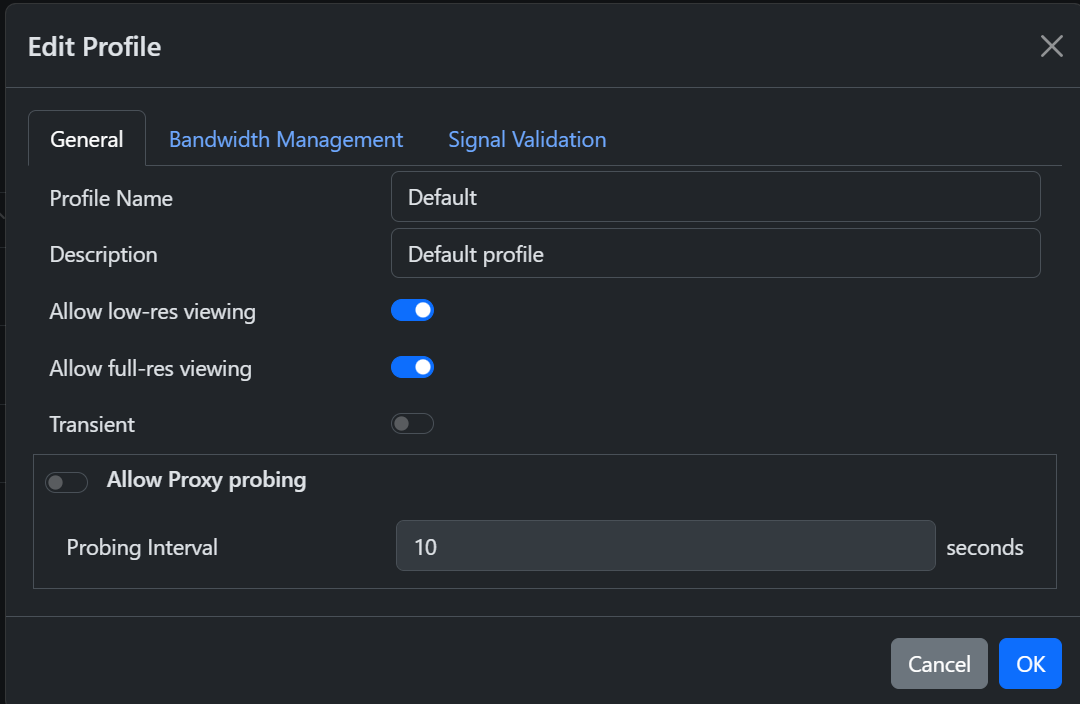
- Name: Must be unique
- Description: Optional description of the profile
- Allow low-res viewing: If enabled, you can view the 'proxy' quality source video in the browser using SourceMaster.
- Allow full-res viewing: If enabled, you can view the full quality source video in the browser using SourceMaster.
- Transient: Sources with this profile are expected to appear and disappear frequently from the NDI network. Therefore, no faults are raised when they are missing.
- Allow Probing: If enabled, SourceMaster will periodically probe the source to check its status. This can help detect issues with sources that are not actively sending video.
- Probing Interval: The interval at which SourceMaster will probe the source if probing is enabled.
Bandwidth Management
These settings allow SourceMaster to raise faults when the bandwidth needed by a source exceeds specified levels. Requires NDI 6.3 or later on the source to report bandwidth usage.
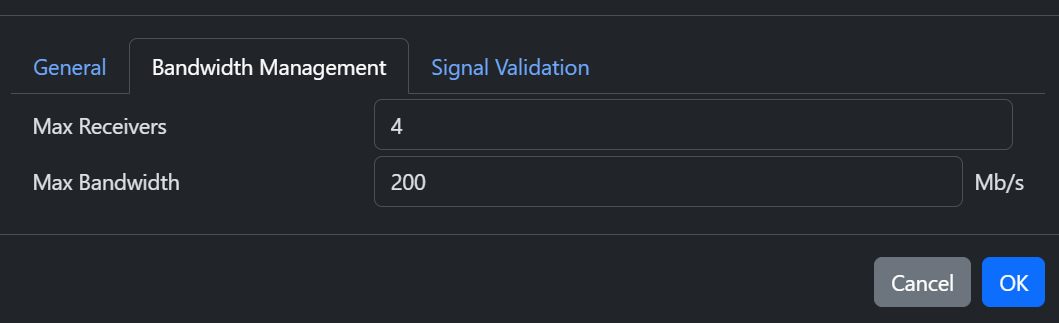
- Max Receivers: SourceMaster will raise a fault if the number of receivers exceeds this limit. This allows you to detect if a source is being used more than expected, which could indicate a configuration problem or unauthorised use. Requires NDI 6.3 or later on the source.
- Max Bandwidth: SourceMaster will raise a fault if the bandwidth used by the source exceeds this limit. This allows you to detect if a source is being used more than expected, which could indicate a configuration problem or unauthorised use. Requires NDI 6.3 or later on the source.
Signal Validation
These settings allow SourceMaster to raise faults when the source signal does not match specified requirements.
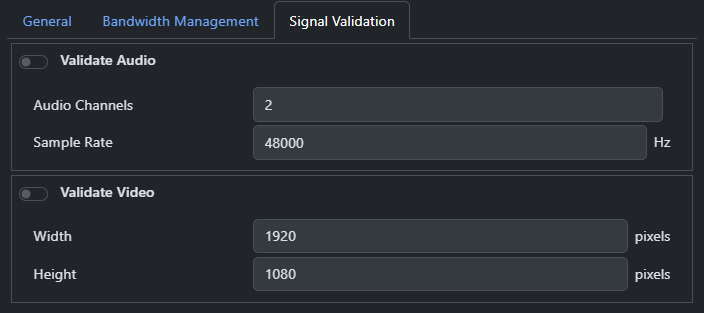
- Validate Audio: If enabled, SourceMaster will check that the audio format of the source matches the requirements.
- Validate Video: If enabled, SourceMaster will check that the video format of the source matches the requirements.